
The use of educational technology to support students with disabilities is transforming classrooms, providing tailored learning experiences and empowering individuals to reach their full potential. This approach recognizes the diverse needs of students with disabilities and leverages technology to bridge learning gaps, foster engagement, and promote inclusivity.
By providing assistive tools, adaptive learning environments, and personalized instruction, educational technology empowers students with disabilities to access, participate, and thrive in the educational landscape.
This exploration delves into the various ways educational technology can be utilized to support students with disabilities, from assistive technologies and universal design for learning principles to specific tools and resources that cater to diverse learning needs. We will examine the impact of technology on student outcomes, explore implementation strategies, and discuss the future of this evolving field.
The Importance of Educational Technology in Supporting Students with Disabilities
Educational technology plays a crucial role in providing equal access to learning opportunities for students with disabilities. It can bridge the gap between traditional classroom settings and the unique needs of these learners, fostering inclusivity and promoting academic success. Educational technology offers a range of tools and resources that can be tailored to address diverse learning styles and challenges faced by students with disabilities.
This technology can help students overcome barriers to learning, enhance their engagement, and personalize their educational experiences.
Types of Disabilities and How Educational Technology Can Address Their Unique Needs
Educational technology can be used to address the specific needs of students with a wide range of disabilities, including:
- Learning Disabilities:Students with learning disabilities may struggle with reading, writing, math, or other academic skills. Educational technology can provide assistive tools like text-to-speech software, graphic organizers, and adaptive keyboards to help these students access and understand information more effectively. For example, a student with dyslexia can benefit from text-to-speech software that reads aloud the text, making it easier for them to comprehend the material.
- Physical Disabilities:Students with physical disabilities may face challenges with mobility, dexterity, or sensory perception. Educational technology can provide assistive devices such as speech-to-text software, screen readers, and adapted keyboards to enable them to participate in learning activities. For instance, a student with cerebral palsy can use speech-to-text software to communicate their ideas and complete assignments.
- Emotional and Behavioral Disorders:Students with emotional and behavioral disorders may require specialized support and interventions. Educational technology can provide tools for behavior management, social skills training, and emotional regulation. For example, apps that offer interactive games and activities can help students develop self-regulation skills.
- Sensory Impairments:Students with sensory impairments, such as visual or hearing impairments, may require adaptations to access learning materials. Educational technology can provide tools like screen magnifiers, closed captioning, and audio descriptions to make information accessible to these students. For example, a student with low vision can benefit from screen magnifiers that enlarge text and images, making it easier to read.
Benefits of Using Educational Technology for Students with Disabilities
Educational technology offers several benefits for students with disabilities, including:
- Improved Access to Learning:Educational technology can remove barriers to learning by providing assistive tools and resources that cater to the specific needs of students with disabilities. For example, text-to-speech software can make learning materials accessible to students with reading difficulties, while screen readers can help students with visual impairments access digital content.
- Increased Engagement:Educational technology can make learning more engaging and interactive for students with disabilities, promoting their participation and motivation. For example, interactive games and simulations can help students with learning disabilities visualize concepts and develop problem-solving skills.
- Personalized Learning Experiences:Educational technology allows for personalized learning experiences that cater to the individual needs of students with disabilities. Adaptive learning platforms can adjust the difficulty level of assignments based on a student’s performance, providing them with appropriate challenges and support.
Assistive Technology
Assistive technology (AT) plays a crucial role in supporting students with disabilities, enabling them to access and participate in education effectively. AT refers to any device or system used to increase, maintain, or improve functional capabilities of individuals with disabilities.
It encompasses a wide range of tools, from simple aids like pencil grips to complex software programs. This section explores various assistive technologies available for students with disabilities, focusing on screen readers, speech-to-text software, and adaptive keyboards.
Screen Readers
Screen readers are software programs that read aloud the text displayed on a computer screen. They convert digital text into synthesized speech or braille output, making it accessible to students with visual impairments. Screen readers can be used with various devices, including personal computers, laptops, tablets, and smartphones.
Screen readers work by scanning the text on the screen and converting it into audio or braille output. They use advanced algorithms to identify and interpret different elements of the text, such as headings, paragraphs, lists, and tables. This allows students to navigate through digital documents, websites, and applications, accessing information that would otherwise be inaccessible.
Examples of How Screen Readers Support Students with Visual Impairments
- Students with visual impairments can use screen readers to access educational materials, such as textbooks, articles, and online resources.
- Screen readers enable students to complete assignments, take notes, and participate in online discussions.
- Screen readers can be used to access email, social media, and other online platforms, fostering social interaction and communication.
Speech-to-Text Software
Speech-to-text software allows users to dictate text by speaking into a microphone. It converts spoken words into written text, enabling students with physical disabilities, such as cerebral palsy or muscular dystrophy, to create documents, emails, and other digital content.Speech-to-text software uses advanced speech recognition technology to transcribe spoken words into written text.
It can recognize different accents, dialects, and speech patterns, making it accessible to a wide range of users.
Examples of How Speech-to-Text Software Supports Students with Physical Disabilities
- Students with physical disabilities can use speech-to-text software to write essays, reports, and other assignments.
- Speech-to-text software enables students to communicate with classmates and teachers through email, instant messaging, or online forums.
- Students can use speech-to-text software to create presentations, research papers, and other digital projects.
Adaptive Keyboards
Adaptive keyboards are designed to meet the specific needs of students with physical disabilities. They offer alternative input methods, such as larger keys, keyguards, or touch screens, making it easier for students to type and interact with computers.Adaptive keyboards can be customized to suit the individual needs of students, allowing them to adjust key size, spacing, and layout.
Some adaptive keyboards also feature specialized features, such as voice activation, head-mounted switches, or eye-tracking technology.
Examples of How Adaptive Keyboards Support Students with Physical Disabilities
- Students with limited hand dexterity can use adaptive keyboards with larger keys, keyguards, or touch screens to improve typing accuracy and speed.
- Students with mobility impairments can use adaptive keyboards with voice activation or head-mounted switches to control the computer without using their hands.
- Students with visual impairments can use adaptive keyboards with braille displays or auditory feedback to enhance typing efficiency.
Universal Design for Learning (UDL)

Universal Design for Learning (UDL) is a framework that guides the creation of learning environments that are accessible and engaging for all students, including those with disabilities. UDL principles emphasize flexibility and inclusivity in teaching and learning, ensuring that all students can participate and achieve success.
UDL Principles and Educational Technology, The use of educational technology to support students with disabilities
UDL principles provide a roadmap for designing and implementing educational technology that effectively supports diverse learners. These principles can be applied to various aspects of online learning environments, including:
- Representation: This principle focuses on providing information and content in multiple formats to cater to different learning styles and preferences. Educational technology can facilitate this by offering:
- Text-to-speech software: This allows students to hear the content read aloud, making it accessible to those with reading difficulties or visual impairments.
- Interactive simulations and multimedia content: These engaging formats can make learning more interactive and appealing, particularly for students who learn best through visual or auditory means.
- Closed captions and transcripts: These features ensure that students can follow along with audio and video content, even if they have hearing impairments or are in noisy environments.
- Action and Expression: This principle emphasizes providing students with multiple ways to demonstrate their understanding and engage with the learning material. Educational technology can support this by offering:
- Digital tools for creating presentations, videos, or audio recordings: These tools allow students to express their understanding in creative and engaging ways.
- Interactive exercises and quizzes: These activities provide students with opportunities to actively engage with the material and receive immediate feedback.
- Adaptive technology for physical disabilities: This includes tools like speech-to-text software and assistive keyboards, enabling students with physical challenges to interact with technology and complete assignments.
- Engagement: This principle focuses on creating motivating and engaging learning experiences that cater to individual interests and needs. Educational technology can enhance engagement by:
- Personalized learning pathways: These allow students to progress through the material at their own pace and focus on areas that require more attention.
- Gamification elements: Incorporating game-like features, such as points, badges, and leaderboards, can make learning more enjoyable and encourage participation.
- Collaborative tools for group work and discussion: These tools foster a sense of community and allow students to learn from each other.
UDL in Online Learning Environments
Implementing UDL principles in online learning environments creates a more accessible and inclusive learning experience for all students. For example:
- Providing alternative text descriptions for images and videos: This ensures that students with visual impairments can access and understand the content.
- Using color contrast and font sizes that are easy to read: This makes the learning materials accessible to students with visual impairments or dyslexia.
- Offering multiple ways to submit assignments, such as text, audio, or video: This allows students to choose the method that best suits their abilities and learning style.
- Providing clear instructions and expectations: This helps students understand the learning objectives and requirements of each activity.
The Role of Educational Technology in Creating Accessible and Inclusive Learning Experiences
Educational technology plays a crucial role in creating accessible and inclusive learning experiences for all students. By leveraging the power of technology, educators can:
- Provide personalized learning experiences: Technology enables educators to tailor the learning experience to meet the unique needs of each student, ensuring that everyone has the opportunity to succeed.
- Offer a wide range of assistive technologies: This includes tools that support students with disabilities in areas such as reading, writing, communication, and mobility.
- Create engaging and interactive learning environments: Technology can make learning more interactive and engaging, which is particularly important for students with disabilities who may face challenges with traditional learning methods.
- Foster a sense of community and belonging: Technology can connect students from diverse backgrounds and abilities, promoting a sense of inclusion and belonging.
Educational Technology Tools and Resources
Educational technology plays a crucial role in supporting students with disabilities, offering a wide range of tools and resources that can enhance their learning experiences and promote inclusion. These tools cater to diverse learning styles and address specific needs, creating a more accessible and engaging learning environment.
Learning Management Systems (LMS)
Learning Management Systems (LMS) are online platforms that provide a structured environment for delivering, managing, and tracking educational content. They offer a centralized hub for learning resources, assessments, and communication.
Educational technology plays a crucial role in supporting students with disabilities, offering personalized learning experiences and adaptive tools. The future of this technology is being shaped by the integration of artificial intelligence, which is transforming how we teach and learn.
The impact of artificial intelligence on the future of education technology is significant, as it enables AI-powered tutors, personalized learning paths, and real-time feedback systems, ultimately leading to a more inclusive and effective educational experience for all students, especially those with disabilities.
- Accessibility Features:LMS platforms often incorporate accessibility features such as screen readers, text-to-speech functionality, and adjustable font sizes. These features enable students with visual impairments or learning disabilities to access and interact with the platform effectively.
- Personalized Learning:LMS can track student progress and provide personalized feedback, allowing educators to tailor instruction to individual needs. Students with disabilities can benefit from individualized learning paths and adaptive assessments that cater to their unique strengths and challenges.
- Collaborative Learning:LMS facilitate online collaboration through forums, chat rooms, and group projects. This fosters social interaction and communication, which can be particularly beneficial for students with social communication difficulties.
Interactive Whiteboards
Interactive whiteboards are digital displays that allow users to interact with content using touch or stylus. They offer a dynamic and engaging learning environment that can be particularly beneficial for students with disabilities.
- Visual Learners:Interactive whiteboards provide a visual medium for presenting information, which can be helpful for students who learn best through visual aids.
- Hands-on Learning:Interactive whiteboards allow students to participate actively in lessons by drawing, writing, and manipulating objects on the screen. This hands-on approach can be particularly engaging for students with kinesthetic learning styles.
- Accessibility Features:Many interactive whiteboards offer accessibility features such as screen reader compatibility and text-to-speech functionality, making them accessible to students with visual impairments.
Virtual Reality (VR) and Augmented Reality (AR)
Virtual reality (VR) and augmented reality (AR) technologies are transforming the educational landscape by creating immersive and interactive learning experiences. These technologies can be particularly beneficial for students with disabilities.
- Sensory Experiences:VR and AR can provide students with sensory experiences that might be difficult or impossible to access in real-life settings. For example, students with mobility impairments could experience a virtual field trip to a museum or explore a historical site.
- Engaging Content:VR and AR can create engaging and interactive learning experiences that can motivate students and enhance their understanding of concepts.
- Adaptive Learning:VR and AR can be adapted to meet the needs of individual students, allowing them to learn at their own pace and in a way that best suits their learning style.
Adaptive Games and Simulations
Adaptive games and simulations are designed to provide engaging and interactive learning experiences that cater to the needs of students with disabilities.
- Accessible Gameplay:Adaptive games and simulations are designed to be accessible to students with a wide range of disabilities. They may incorporate features such as adjustable difficulty levels, alternative control methods, and visual cues.
- Personalized Learning:Adaptive games and simulations can track student progress and adjust the difficulty level or content to meet individual needs. This allows students to learn at their own pace and focus on areas where they need additional support.
- Motivational Learning:Games and simulations can be highly motivating for students, especially those who struggle with traditional learning methods. They provide a fun and engaging way to learn new skills and concepts.
Implementation and Integration
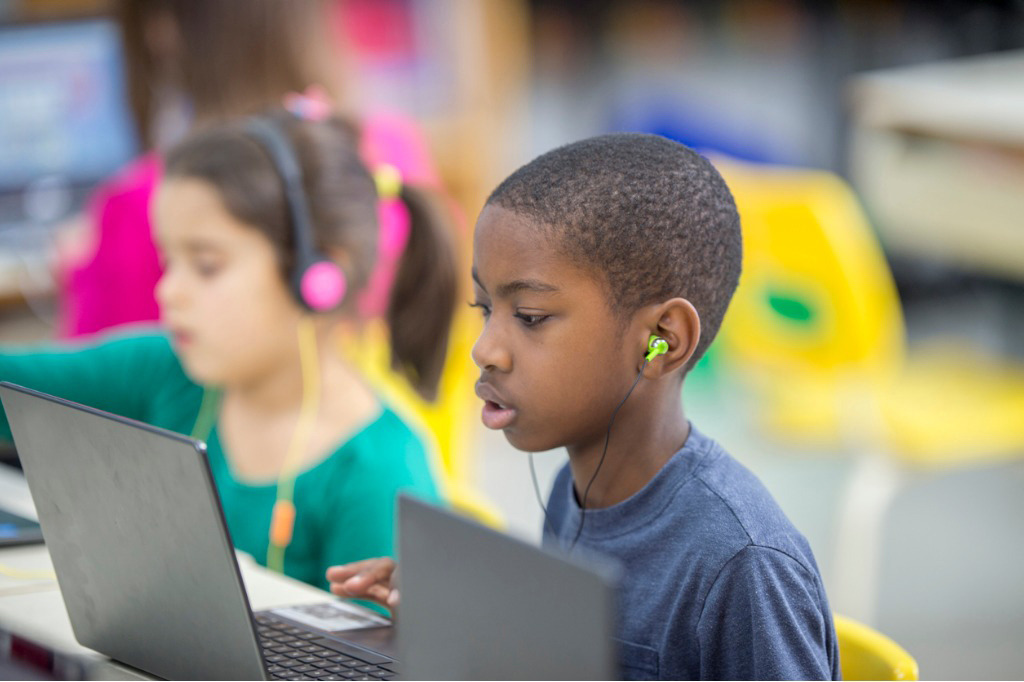
Successfully integrating educational technology into classrooms for students with disabilities requires careful planning, consideration of various factors, and a commitment to ongoing adaptation and improvement. It’s not just about introducing new tools; it’s about creating a supportive and inclusive learning environment where technology empowers all students to reach their full potential.
Challenges and Considerations for Implementation
Implementing educational technology for students with disabilities presents unique challenges. These challenges stem from a range of factors, including the diverse needs of students, the availability of resources, and the need for effective teacher training.
- Accessibility:Ensuring that technology is accessible to all students, regardless of their disability, is paramount. This includes providing assistive technology, adapting interfaces, and offering alternative input and output methods. For example, a student with visual impairments might require screen readers, while a student with motor difficulties may need specialized keyboards or voice recognition software.
- Teacher Training:Teachers need adequate training and support to effectively use educational technology for students with disabilities. This training should cover not only the technical aspects of the technology but also its pedagogical applications, accessibility features, and strategies for supporting diverse learners.
- Cost and Resources:The cost of purchasing and maintaining educational technology can be a significant barrier, especially for schools with limited budgets. Additionally, ensuring that technology is readily available and functional requires ongoing maintenance and technical support.
- Data Privacy and Security:Protecting student data and ensuring its privacy is crucial when using educational technology. Schools must comply with relevant regulations and implement safeguards to protect sensitive information.
- Time Constraints:Teachers already face significant time constraints, and integrating new technology into their classrooms requires additional planning, preparation, and professional development.
Strategies for Effective Integration
Integrating educational technology effectively into the curriculum and teaching practices requires a multi-faceted approach that considers the needs of both teachers and students. Here are some strategies to facilitate successful integration:
- Start Small and Build:Begin with a few carefully chosen technology tools and gradually expand the use of technology as teachers gain confidence and experience.
- Focus on Individual Needs:Technology should be tailored to meet the specific needs of individual students, providing them with the support and accommodations they require to succeed.
- Collaborate with Specialists:Work closely with special education teachers, assistive technology specialists, and other professionals to identify appropriate technology tools and strategies for individual students.
- Provide Ongoing Support:Offer ongoing training, professional development opportunities, and technical support to teachers, ensuring they feel confident and comfortable using technology in their classrooms.
- Encourage Student Choice:Whenever possible, allow students to choose the technology tools they find most helpful and engaging, fostering a sense of ownership and independence.
- Integrate Technology Seamlessly:Technology should be seamlessly integrated into the curriculum, supporting learning objectives and enhancing student engagement.
Teacher Training and Professional Development
Teacher training and professional development are essential for effective integration of educational technology. These programs should be tailored to the specific needs of teachers and the context of their classrooms.
- Practical Skills:Training should focus on practical skills, such as how to use specific technology tools, create accessible materials, and integrate technology into lesson plans.
- Pedagogical Applications:Teachers should be trained on how to use technology to support diverse learners, differentiate instruction, and create engaging learning experiences.
- Accessibility Features:Training should emphasize the importance of accessibility and how to use technology to support students with disabilities.
- Ongoing Support:Provide ongoing support through mentorship, online resources, and opportunities for collaboration with other teachers.
- Technology Integration Strategies:Training should cover strategies for integrating technology into different subject areas and across the curriculum.
Impact and Future Directions
Educational technology has revolutionized the learning landscape for students with disabilities, significantly impacting their learning outcomes and overall well-being. This section delves into the positive effects of educational technology, explores research findings that support its effectiveness, and identifies emerging trends shaping the future of this field.
Impact on Learning Outcomes and Well-being
The impact of educational technology on students with disabilities is multifaceted, positively influencing their academic performance, social-emotional development, and overall well-being.
- Improved Academic Performance:Educational technology tools provide individualized learning experiences, catering to diverse learning styles and needs. Adaptive learning platforms, for instance, adjust the difficulty level based on student performance, ensuring optimal engagement and mastery. This personalized approach has been shown to enhance academic achievement, as evidenced by studies demonstrating significant improvements in reading, writing, and mathematics skills among students with disabilities who utilize these technologies.
- Enhanced Accessibility and Inclusion:Educational technology fosters inclusivity by providing equal access to learning opportunities for all students, regardless of their disability. Assistive technology, such as screen readers and speech-to-text software, enables students with visual or motor impairments to interact with digital content, effectively bridging the gap in accessibility.
This increased participation in learning activities has a profound impact on students’ self-esteem and sense of belonging, promoting social and emotional well-being.
- Increased Engagement and Motivation:Educational technology offers interactive and engaging learning experiences that capture students’ attention and stimulate their curiosity. Gamified learning platforms, for example, transform traditional lessons into interactive games, motivating students to actively participate and learn through play. This increased engagement fosters a positive learning environment, promoting intrinsic motivation and reducing feelings of frustration or discouragement.
Research Findings on Effectiveness
Numerous research studies have documented the effectiveness of educational technology interventions for students with disabilities.
- Meta-analyses:Meta-analyses of research on assistive technology have consistently shown positive effects on academic achievement and functional skills for students with disabilities. For example, a meta-analysis of 20 studies on the use of assistive technology for students with learning disabilities found that assistive technology interventions significantly improved reading fluency, comprehension, and writing skills.
- Randomized Controlled Trials:Randomized controlled trials (RCTs) have also provided strong evidence for the effectiveness of educational technology interventions. For instance, an RCT on the use of a computer-based reading intervention for students with dyslexia found that students in the intervention group made significantly greater progress in reading fluency and comprehension than students in the control group.
- Qualitative Studies:Qualitative studies have shed light on the impact of educational technology on students’ experiences and perspectives. For example, a qualitative study on the use of virtual reality (VR) for students with autism spectrum disorder (ASD) found that VR experiences provided opportunities for social interaction and communication, enhancing their social skills and reducing anxiety.
Emerging Trends and Future Directions
The field of educational technology for supporting students with disabilities is constantly evolving, with exciting new trends and future directions emerging.
- Artificial Intelligence (AI):AI is revolutionizing the way we learn, personalize learning experiences, and provide adaptive support. AI-powered tools can analyze student data, identify learning gaps, and recommend personalized interventions. This personalized approach has the potential to significantly improve learning outcomes for students with disabilities.
- Virtual Reality (VR) and Augmented Reality (AR):VR and AR technologies are creating immersive learning experiences that engage students and promote deeper understanding. For example, VR simulations can provide realistic scenarios for students with social communication difficulties, helping them practice social skills in a safe and controlled environment.
- Universal Design for Learning (UDL):UDL is a framework for creating learning environments that are accessible and engaging for all students. Educational technology plays a crucial role in implementing UDL principles, providing tools and resources that support diverse learning needs.
- Data Analytics and Personalized Learning:Data analytics tools allow educators to track student progress, identify areas of need, and tailor instruction accordingly. This data-driven approach enables personalized learning experiences that meet the unique needs of each student, leading to improved learning outcomes.
Wrap-Up

Educational technology offers a powerful tool for creating inclusive and equitable learning environments for students with disabilities. By embracing assistive technologies, implementing universal design principles, and leveraging innovative tools, educators can empower students with disabilities to overcome challenges, unlock their potential, and thrive in the 21st century.
As technology continues to evolve, its impact on the education of students with disabilities will undoubtedly grow, paving the way for a more accessible and inclusive future.
Query Resolution: The Use Of Educational Technology To Support Students With Disabilities
What are some examples of assistive technologies for students with disabilities?
Assistive technologies encompass a wide range of tools, including screen readers for visually impaired students, speech-to-text software for students with writing difficulties, and adaptive keyboards for students with motor impairments.
How can educational technology be used to create personalized learning experiences for students with disabilities?
Educational technology allows for personalized learning paths, adjusting the pace, difficulty, and presentation of information to meet individual needs. Adaptive learning platforms can provide customized instruction based on student performance and learning styles.
What are the benefits of using educational technology for students with disabilities?
Benefits include improved access to learning materials, increased engagement, personalized instruction, and opportunities for independent learning. Technology can also foster social interaction and collaboration among students.
What are some challenges in implementing educational technology for students with disabilities?
Challenges include ensuring accessibility of technology, providing adequate training for teachers, and addressing issues of digital equity and access to technology for all students.